// CONSISTENT CHARACTERS
Consistent character AI — save a character once, reuse it every run
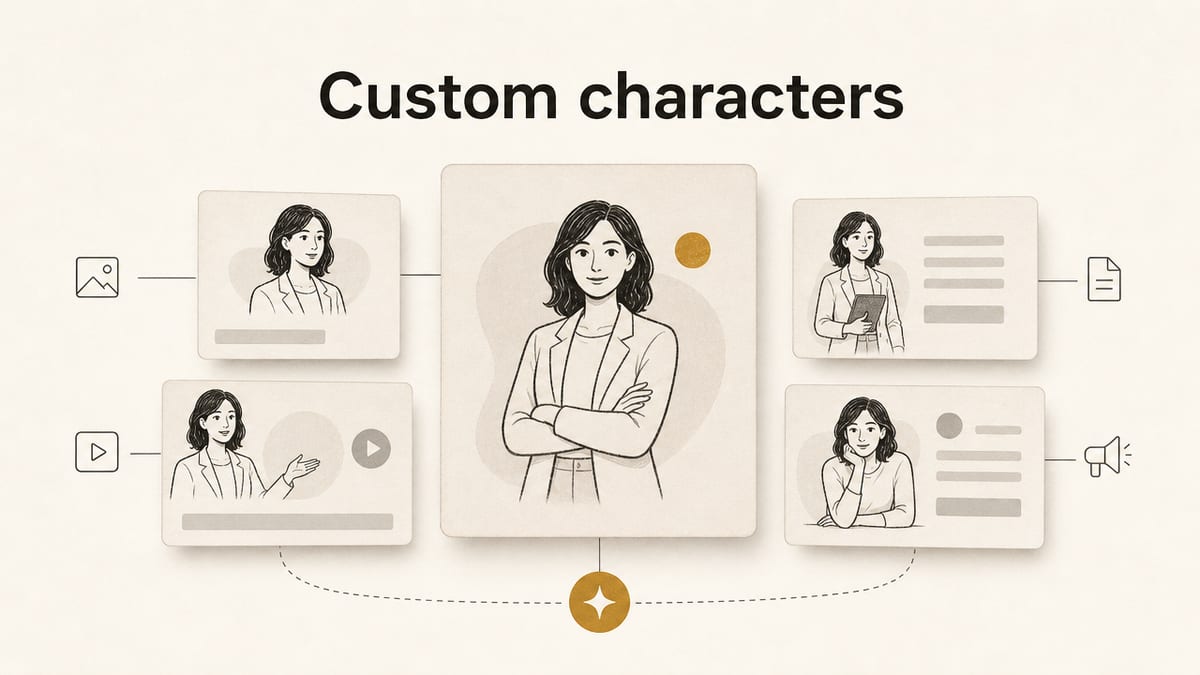
A saved character carries the reference image, the description and the details you set. You write the pose and the scene each run.
Saving costs no credits. Images are 2 credits each, and 30 welcome credits cover 15. You sign in before the Library opens.
What the consistent character AI does
The Keter Labs character library holds a person you want to use again. Save them once, then pull them into an image run instead of describing the same face from scratch. It works as an AI consistent character generator inside the tools you already use.
What gets saved
Only the name is required. Save one with no reference image and the model is never shown a picture — it gets the name and description as text. The record holds the likeness; you write the pose and the scene each run.
- Name
- The only required field, and what the prompt uses
- Description
- The likeness in words, sent with every run
- Reference image
- The picture the model is shown
- Thumbnail
- How they appear in your library
- Tags
- How you find them later
- Role
- Who they are in the scene
- Traits
- The details you would otherwise retype
- Wardrobe
- What they normally wear
Where a saved character works
Pick the tile under Library characters, or type @Name in the prompt. The picker holds one character, so use @ mentions when a scene needs two.
| Where | How you pick it | Models that receive the image |
|---|---|---|
| Image generator | The tile under Library characters, or @Name | GPT Image 2, Nano Banana Pro, Nano Banana 2, Auto |
| Spaces | In a node's Library references | The same four |
| FLUX models | The upload tiles are hidden | None. The name and description go through as text |
What keeps the likeness steady
Every run that uses a character adds one line to your prompt: "Feature the person/character from the provided character reference image, keeping their identity consistent." That line is an ask, not a lock. There is no training, no fine-tune and no stored character model, so facial features can still shift between runs.
Three things weaken it. A character saved without a reference image sends words only. A text-only model drops the image and keeps the text. And AI Prompt, on by default, rewrites the whole request after that line is built.
What you control: pick a clear reference with one person in it, because nothing checks that for you. Keep the wording identical every run, which is the saved record's job. And switch AI Prompt off when the likeness matters more than a richer prompt.
How to make a consistent AI character
- 1
Save the character
Open Library, then References, then Characters. Upload a reference image, paste a URL, or pick a recent generated image. Name them and describe the likeness.
- 2
Pull them into a run
Choose the tile under Library characters, or type @Name in the prompt.
- 3
Write the rest
The pose, the scene and the light. Then generate.
What you get
- Saving a character
- No credits
- Each image
- 2 credits
- Welcome credits
- 30 once, worth 15 images
- Per run
- 1 to 4 images
- Uploads
- PNG, JPEG or WebP, up to 8 MB
- Failed runs
- You keep the credits
Where to go next
| What you want | Tool | Credits |
|---|---|---|
| Generate with your character | AI image generator | 2 |
| Style words for the result | Art generator | 2 |
| Start from a drawing | Sketch to image | 2 |
Other image tools
What this tool doesn't do
A character saved without a reference image, or used on a FLUX model, reaches the model as text only.
Only the first 12 library references are sent, and long names or descriptions are shortened.
No pose or expression controls, so you write those in the prompt each run.
No turnaround or multi-panel output.
No character consistency in video.
No training, fine-tuning or stored character model.
AI Prompt rewrites your prompt while it is on.
Uploads over 8 MB, and PDF, HEIC or SVG files, are rejected.
Frequently asked questions
Is it free to save a character?+
Saving costs no credits. You pay at 2 credits an image, and 30 welcome credits cover 15. If your balance runs short, the run stops before it starts.
What does "consistent character" mean?+
A reference the model is shown on every run, not a trained model. Your saved image and description go with each prompt, asking the model to keep that identity.
How do I generate consistent AI characters?+
Save the character with a reference image and a description, pick them under Library characters, then write the pose and the scene.
What is the best AI for consistent characters?+
It depends what you need. If you want pose and expression controls, tools built around those will serve you better. If you want the same person described the same way across many runs, a saved reference does that.
Why did my character change between images?+
Three usual reasons: it was saved without a reference image, the model you picked reads text only, or AI Prompt rewrote the request.
Can I sell what I make?+
Keter Labs' Terms say: "Subject to applicable law and third-party model terms, you also own the media you generate ('Output') to the extent originality is legally recognized." Read them before you sell.